
The matchmaking selector offers 1V1, 3S, 4–6 and 8–10. These are table-size choices. Check the selected option before pressing Rated or Quick Play.
Read the selector before queuing
Table size is positioned directly above the Rated and Quick Play buttons. The inspected default was 4–6, with a description of four to six players. Do not assume your preferred size is already selected when opening a new session.
Which option fits your session?
1V1 indicates a two-player setup. 3S is the three-player option. The remaining two options show player ranges. These labels describe the matchmaking choices; they do not establish a minimum number of friends you must bring.
Matchmaking and hosted rooms differ
Public room rows show their own occupied-seat count and capacity. A row can be full even when a matchmaking option is available. Treat the queue selector and a specific hosted room as different interfaces, rather than assuming one changes the other.
Check once before joining
Choose the size that fits the kind of game you want, then choose a queue. If you want to play only with people you know, use the room-code workflow and confirm the settings inside that room. Exact wait times and available player counts change with live activity.
Did these steps help?
Optional, anonymous analytics. Manage your choice · Add a correction
Your next steps
0/3Sources & verification
What was checked
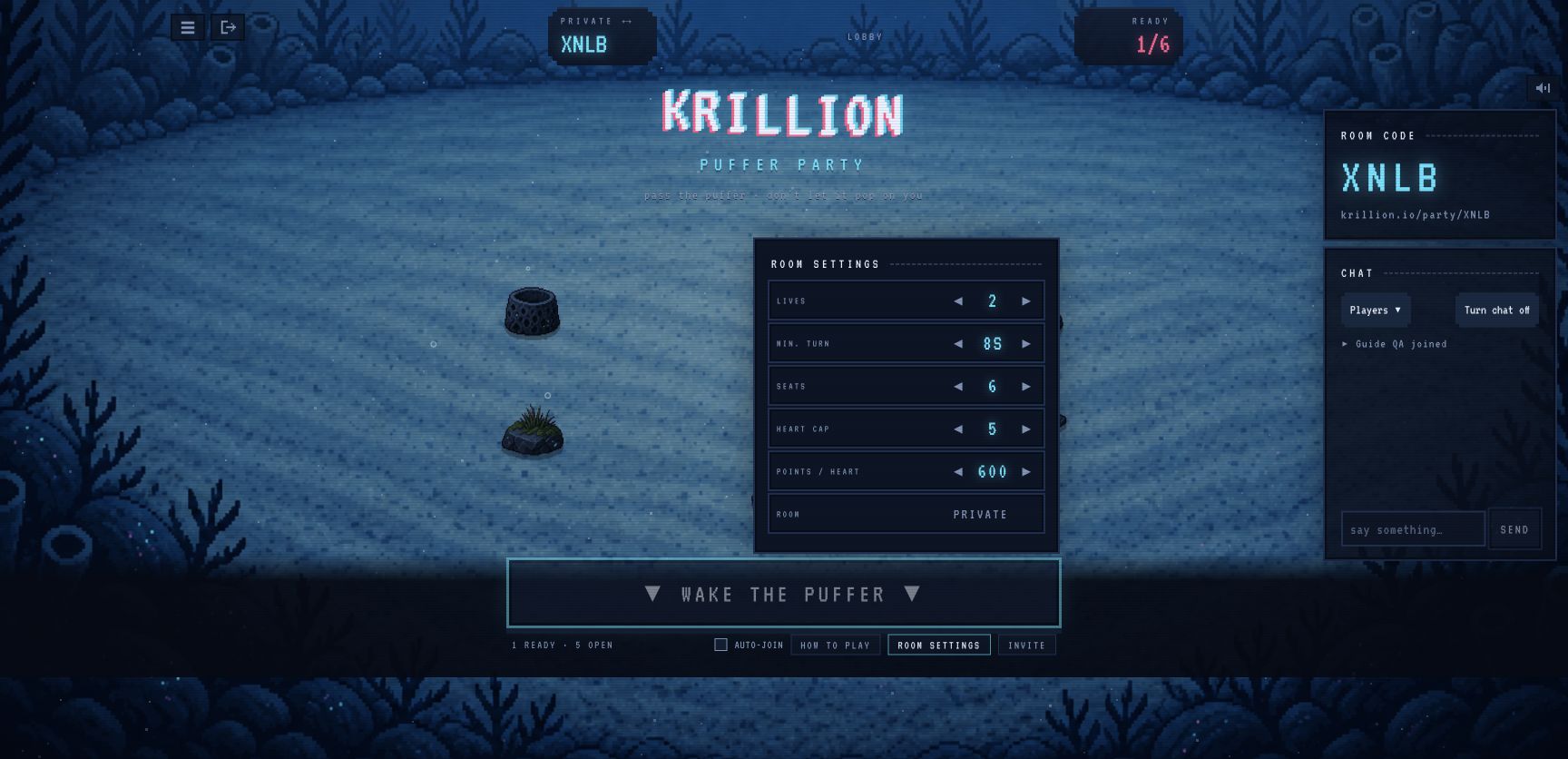
The queue offers 1V1, 3S, 4–6 and 8–10; a hosted room has a separate Seats control.
Lobby inspected and hosted-room settings opened. Capacity extremes were not tested.
Lobby inspected and hosted-room settings opened. Capacity extremes were not tested. Test screenshots document a temporary private room that has now been left. No purchases, public queue or account changes were involved.
- Krillion — official Puffer Party ↗
Live lobby, help and private-room controls checked on October 27, 2026. Two separate browser sessions completed one private round.
- Krillion Answers Today — Party guide ↗
Secondary comparison for queue labels and table sizes. We do not adopt its untested timer or maximum-capacity claims.