
To play a friend, host a Private · Code Only room, share the live invite or four-letter code and wait for both players to be ready. The host then selects Wake the Puffer. To play a public opponent, select 1V1 in the lobby and choose Quick Play.
YOUR FIRST ROUND
Play with a friend: the complete setup
- Host: open the official Party lobby, enter your nickname, choose Private · Code Only, then Host a Room.
- Check the Private badge and Room Settings. The settings in our screenshot are one observed setup, not fixed limits.
- Share the current room code or invitation with your friend. Old screenshot codes are not active invitations.
- Guest: open the official Party lobby, enter a nickname and the code in Join by Code. Select Join and complete any Take a Seat prompt.
- Compare the room code and player names. Confirm two distinct players are ready; two tabs alone may share one identity.
- Host: use Wake the Puffer when available. In our test, one player could not start; two ready players could.
- When it is your turn, answer the displayed category before the puffer explodes. Avoid answers already used for the current question.
- Follow the round to its result, then use Leave room when finished.
Based on one complete private two-player round (October 27, 2026) and manual code entry (October 29). Rated play, capacity limits and scoring formulas were not tested.
Host a private room and invite a friend
- Host: Open the official Puffer Party lobby, enter a nickname, switch Public · Listed to Private · Code Only, and select Host a Room. Confirm the new room shows Private.
- Host: Send the room's invitation link or its current four-letter code. Keep the room open while your friend joins.
- Friend: Open the invite. If you received only a code, open the official lobby, enter a nickname, type the code under Join by Code, then select Join. Complete Take a Seat if it appears.
- Both: Check that the same room code and two distinct player names appear. Once both are ready, the host selects Wake the Puffer. The guest waits for the host to start.
Confirm that you are in the same room
The room code, two distinct names and ready count give you something concrete to compare. In our private test, the count became 2/6 after a second independent browser joined. Six configured seats did not require six players before the host could begin.
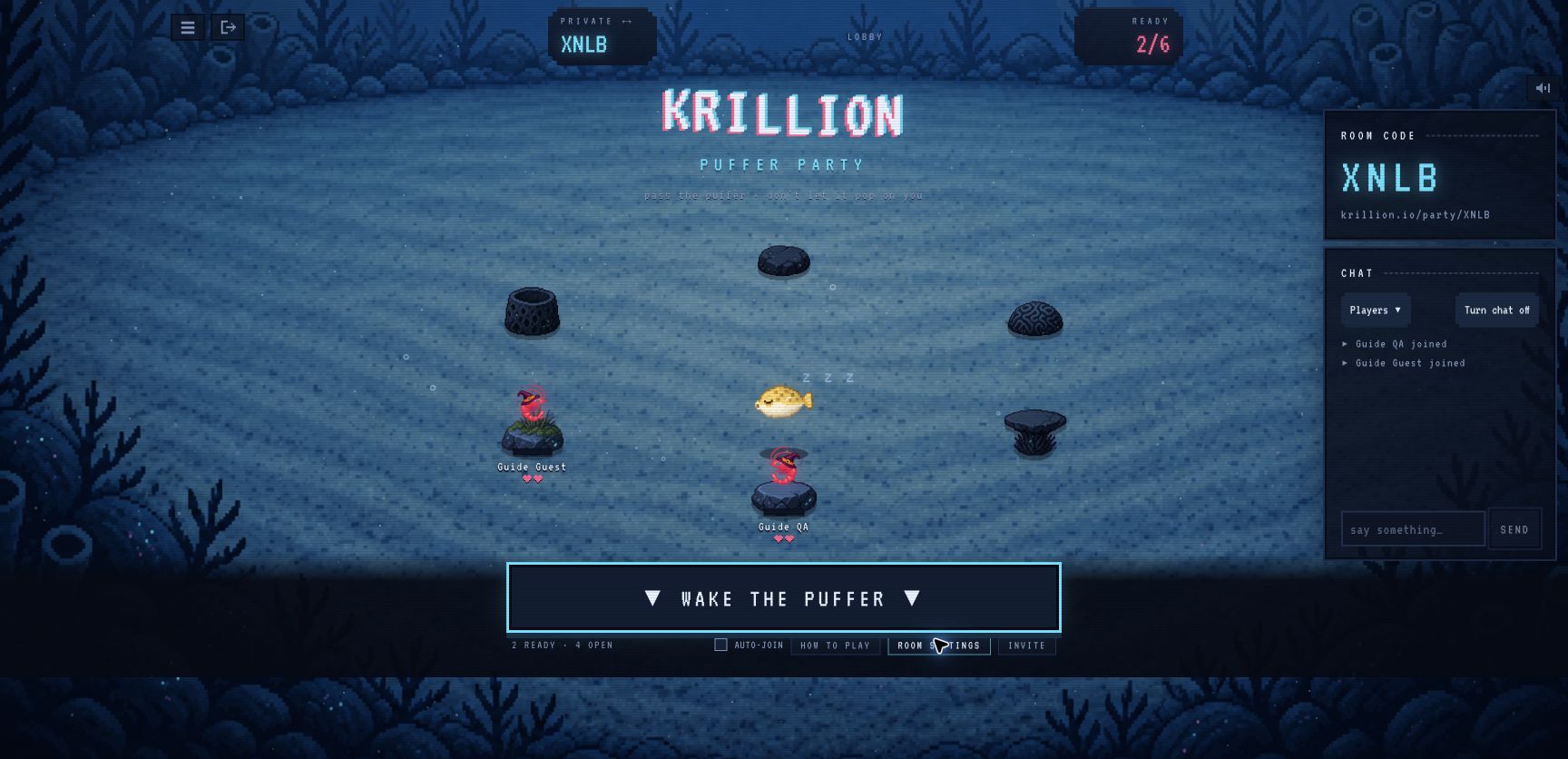
Need a closer look at one step? Use the private hosting instructions or the room-code walkthrough.
Want a public opponent instead?
- Open the official lobby and enter a nickname.
- Under Table size, select 1V1.
- Choose Quick Play for an unrated public match. In our October 29 test, the table was labelled UNRATED 1V1 and showed two players.
Use the private-room steps above to play a particular friend. Rated is a separate matchmaking option. See the 1v1 guide for the tested scope and what the queue labels mean.
Puffer Party rules for your first turn
The official How to Play panel describes three core rules: answer before the puffer explodes, do not repeat an answer for the current question, and use rarer answers to progress toward an extra heart. Check the current room settings; the help panel alone does not establish a universal timer or points threshold.
Puffer Party is the multiplayer mode at krillion.io/party. The daily solo puzzle has a different format and scoring system. Older FAQ wording about planned multiplayer does not override the live Party lobby.
A tested answer, turn and result
On October 27, 2026, our private two-player test displayed a Batman-villain category. One player entered Joker; the game displayed the joker and passed the turn. The round eventually reached a winner screen. This is one accepted answer for that prompt in that test, not a reusable answer for every category.
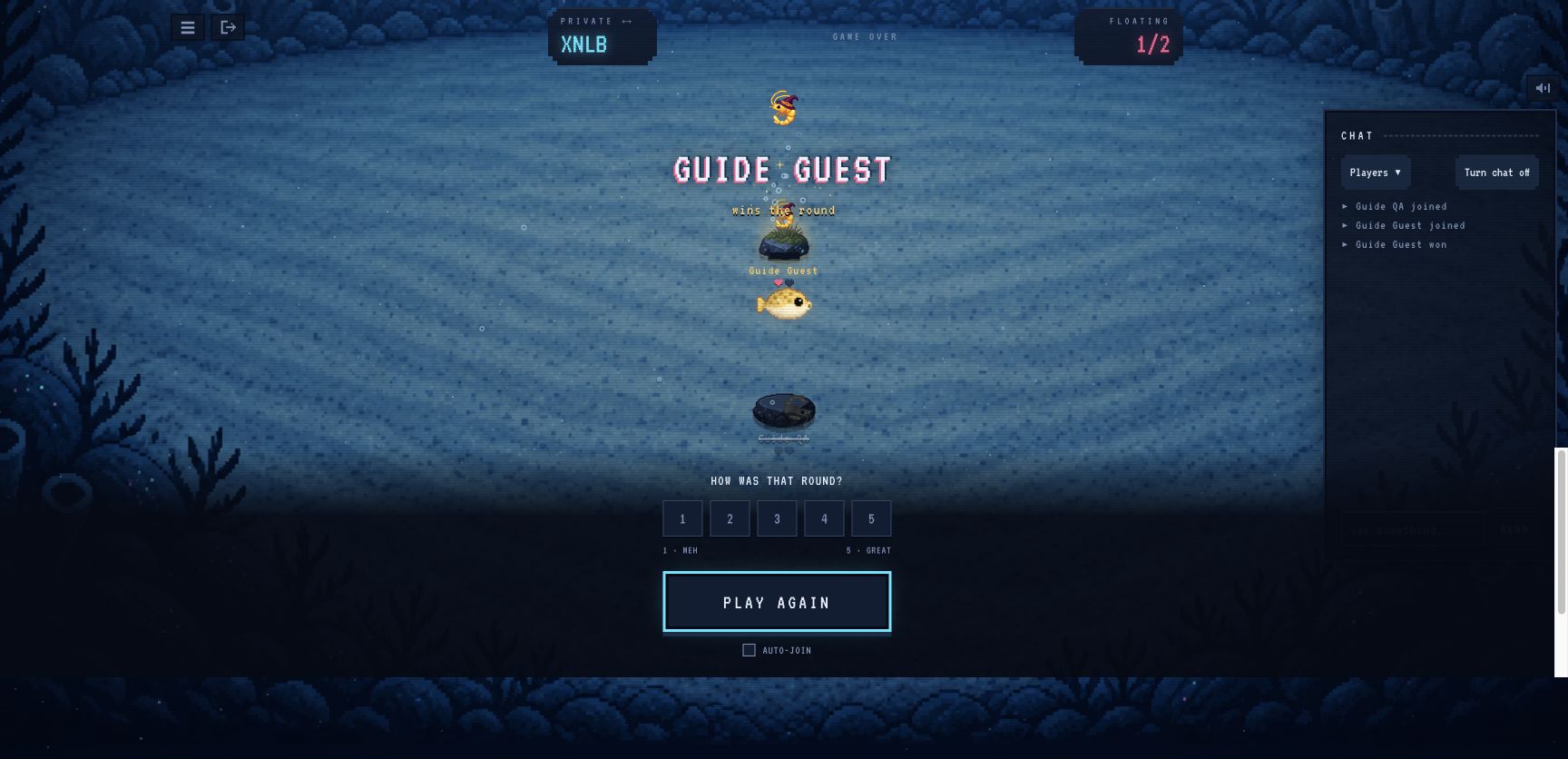
Both players left after the test. The screenshots document a finished private session; they do not verify Ranked play or current public queue conditions.
Puffer Party answers and cheats: what this guide provides
This page provides the rules, one dated answer example and a complete setup checklist. It does not offer a live answer bank, automatic solver or guaranteed winning answers. Read the current category and its qualifiers before choosing a response. An accepted answer can still be unavailable if someone already used it for the question.
If your answer does not go through, check repeated answers first, then missing answers and autocorrect. For the solo game's labels and scores, see Too Clever and daily scoring.
Where to go when setup stops
- Code will not join: ask the host for the current code, check all four letters, and confirm the host is still in the room and a seat is free. The join guide shows where to enter it.
- Wake the Puffer is disabled: verify that you are looking at the host's screen and the lobby shows two distinct ready players. Our one-player test could not start. See the hosting guide if the count does not change.
- Need a particular opponent: use a private code, following the 1v1 routes, rather than expecting public matchmaking to pair you.
Puffer Party not working? Match the symptom first
If the code does not work, check the current invitation and complete four-letter code in the room-code guide. If you entered a room but cannot see your friend, compare both room codes, names and browser sessions.
If you are waiting to start, check the host’s screen and ready players in the private-room start checks. Use the visible message to choose your next step; this guide does not monitor server status.
Common questions
How do I play Krillion with friends?
One player hosts a Private · Code Only room at krillion.io/party and shares its current link or four-letter code. Each friend joins in a separate browser session. Compare the room code and player list, then let the host start when Wake the Puffer is available.
Is Puffer Party the same as the daily Krillion puzzle?
Puffer Party is the official live multiplayer mode with rooms and turns. The daily dive is a separate single-player experience; its answer lists and scoring should not be assumed to describe your Party room.
What should I check when Puffer Party will not start?
First identify whether you cannot enter the room, cannot see your friend, or are waiting for the host to start. Compare the current invitation, player names and ready count before applying unrelated browser fixes.
Did these steps help?
Optional, anonymous analytics. Manage your choice · Add a correction
Your next steps
0/3Sources & verification
What was checked
A private round can begin with two players; the active player submits an answer and play continues to a result.
Hands-on: two independent browser sessions completed one private round.
A private two-player round was completed October 27. On October 29 we tested manual private room-code entry and entered one public unrated 1V1 Quick Play match. Rated play remains untested.
- Krillion — official Puffer Party ↗
Live lobby, help and private-room controls checked on October 27, 2026. Two separate browser sessions completed one private round.
- Nisu — firsthand room inspection ↗
Independent room inspection dated October 20. Corroborates private hosting, invitations and configurable room settings; its own test did not include a match.